Underglass

00A GPU-first React framework

Real React controls.
Painted by the GPU.

Underglass draws your original React DOM into one WebGPU compositor through the browser's HTML-in-Canvas API. Inputs, focus and clicks stay native. What you gain is everything a shader can do to a live page.

npm install @underglass/react

GPU in Chrome and Edge 157 or later. Ordinary DOM everywhere else.

FIG. 00One tree, three steps
  1. 01React renders real DOM

    Ordinary inputs, buttons and text, with their state in React.

  2. 02The browser paints it into a canvas

    HTML-in-Canvas captures each layer as a texture.

  3. 03One GPU pass composes it

    Transforms, motion and your shaders on top.

01The DOM

The page is still the page.

Nothing is cloned and nothing is redrawn by hand. The elements React rendered are the elements on screen: select the text, tab through the form, open the inspector.

  • Native hit testing.A click lands on the real button, wherever the GPU drew it, even while it moves.
  • State survives.Switching the GPU on or off moves the same React root. Values, focus and selection stay where they were.
  • It is ordinary HTML.The accessibility tree, the form and the text are the DOM's own.
FIG. 01Every control here is the element React rendered

Hello, Ada. Pressed 0 times.

02Page transitions

Transitions on the live page, not on a picture of it.

A view transition animates images of the old and the new view, and the old one is a still. Underglass animates the page itself: the view that leaves keeps running until it is gone.

Try it on the panel

In ordinary DOM the panels swap at the middle. With GPU presentation the change you pick runs between them, and both stay live.

Go to the panels

Try it on the panel

In ordinary DOM the panels swap at the middle. With GPU presentation the change you pick runs between them, and both stay live.

FIG. 02A snapshot against the live page00:00.0
QuestionView TransitionsUnderglass
What movesImages of the old and the new viewThe page's own elements
While it runsThe view that leaves is a still imageBoth views keep running: video plays, counters count
The effectCSS animations on those imagesYour shader on the pixels
You writeCSS for two pseudo-elementsNumbers, and WGSL when you want it
FIG. 02The same place, another panel

00:00.0

This panel was under the first all along, as a layer of its own. The clock above and the button below are the page's elements, running, not a picture of them.

0 laps

03Motion

Move it without touching React.

A moving layer is one matrix. The GPU draws the same texture somewhere else: no render, no style recalculation, no layout and no paint.

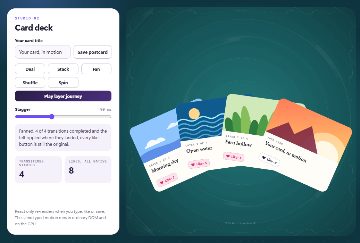
  • Typed motion.Transitions, staggered groups, enter and exit with Presence, and per-frame transforms for springs and drags.
  • The same in ordinary DOM.The numbers that drive the GPU become CSS transforms when it is off.
  • Clicks follow.A control stays clickable where it is drawn, tilted and mid-flight.
FIG. 03What a moving layer costs per frame
  1. React renderskipped
  2. Styleskipped
  3. Layoutskipped
  4. Paintskipped
  5. GPU drawone matrix
// Deal a hand: one call, 90 ms apart.
const deal = cards.map(card => (
  { id: card.id, motion: dealTo(card) }
));
gpu.transitionGroup(deal, 90);

04Shaders

Your WGSL, on your markup.

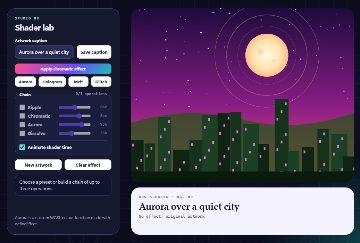
Write a fragment function and hand it a layer. It runs on the rendered pixels of real HTML: text, form controls, video, a camera feed.

  • Built in.Ripple, chromatic split and dissolve, chained with your own: colour functions and displacements.
  • Materials.Relight a layer of working controls without moving a pixel, with its contrast protected.
  • Live parameters.Change them every frame. Nothing recompiles and nothing is captured again.
FIG. 04A fragment function over rendered HTML
import { defineEffect } from "@underglass/react";

export const sepia = defineEffect({
  name: "sepia-glow",
  parameters: { amount: { min: 0, max: 1 } },
  geometry: "color", bounds: "layer",
  capabilities: ["webgpu"],
  wgsl: `
    let r = dot(color.rgb, vec3f(0.393, 0.769, 0.189));
    let g = dot(color.rgb, vec3f(0.349, 0.686, 0.168));
    let b = dot(color.rgb, vec3f(0.272, 0.534, 0.131));
    let tone = mix(color.rgb, vec3f(r, g, b), parameters.x);
    return vec4f(tone, color.a);`,
});

05Components

Controls that are lit, not painted.

Strata is a component library built on Underglass. The same native inputs become keys that travel, knobs that turn and lamps that light the panel around them.

  • Native underneath.Every knob is a native input and every key a button. They take every click and key press.
  • One attribute away.Levels, themes and characters change the presentation without touching the markup.
FIG. 05Four levels of one control
  1. CSS

    Flat and fast: gradients and shadows from the same tokens. What every browser gets.

  2. Relief

    One shader lights every raised face, bevel and well from a single light.

  3. Objects

    Buttons become keys that travel into their bezels; sliders, a rail with a puck.

  4. Instrument

    Machined parts: knobs, faders and switches as lit meshes, with lamps that light the panel.

06Everywhere

One codebase. Two ways to draw it.

The GPU is a presentation, not a platform. Without it the same tree is ordinary DOM, in every browser.

  • Proven before it shows.Enabling the GPU first draws and clicks a probe, to prove pixels and hit testing on this machine.
  • Diagnosed, never disguised.If the GPU cannot present something correctly, the page returns to DOM and says why.
  • What it needs.HTML-in-Canvas and WebGPU. An opt-in polyfill covers other Chromium browsers, more slowly.
FIG. 06One tree, two presentations
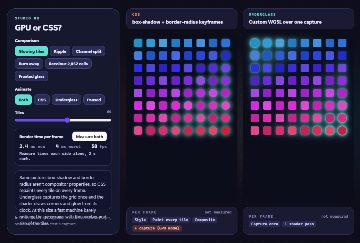
QuestionOrdinary DOMGPU
Draws itThe browser, as usualWebGPU, from live captures of the same elements
WhereEvery browserChrome and Edge 157 or later
WhenAt startup, and whenever the GPU is offAfter a check passes in this browser, in this window
Your codeThe same components, state and event handlers

Underglass is experimental. Screen-reader testing, physical devices and wider browser qualification are still open.

07Get started

Install it, mount a layer, enable the GPU.

npm install @underglass/react

React 18.3 or 19. There is a Vue adapter, and the core runs without a framework.

Live examples

FIG. 07A first layer
import {
  createCanvasHosts, mountCanvasApp, Surface,
} from "@underglass/react";

function Profile() {
  return (
    <Surface id="profile"
      layout={{ x: 40, y: 40, width: 280, height: 160 }}>
      <label htmlFor="name">Name</label>
      <input id="name" defaultValue="Ada" />
    </Surface>
  );
}

const stage = document.getElementById("stage")!;
const hosts = createCanvasHosts(stage);
const gpu = mountCanvasApp(hosts, <Profile />);
const state = await gpu.enable();
// state.mode is "gpu", or "dom" with state.reason